Not "AI, make me a picture"
The default way children meet AI art is a text box: type a wish, receive an image. It can be delightful, but the child decided almost nothing. They didn't choose how the light fell, what the edges did, which shapes survived. The machine made the art; the child placed an order.
Computational studio art starts from the opposite stance. The algorithm isn't a vending machine that returns a finished picture. It's a material — like paint, clay, or charcoal — with its own grain and behavior, that a child learns to question, push, and transform.
Children don't ask the machine to make art for them. They shape what the machine sees, and how it transforms the world.
Algorithms as materials
Every material teaches by resisting you. Watercolor bleeds; clay sags; a good algorithm has behaviors you must learn to work with. In the Computational Art Studio, kids work with materials like these:
- Reaction-diffusion — two simple rules that grow spots, stripes, and coral-like patterns. Change a number and the whole ecosystem shifts.
- Voronoi and segmentation — ways of carving an image into regions, which turn a photo into stained glass, mosaic, or a map of attention.
- The function brush — a brush whose behavior is a little program the child writes, so a single gesture can carry code.
None of these are "press a button." Each is a material with a temperament, and the art comes from the child learning that temperament and bending it toward what they mean.
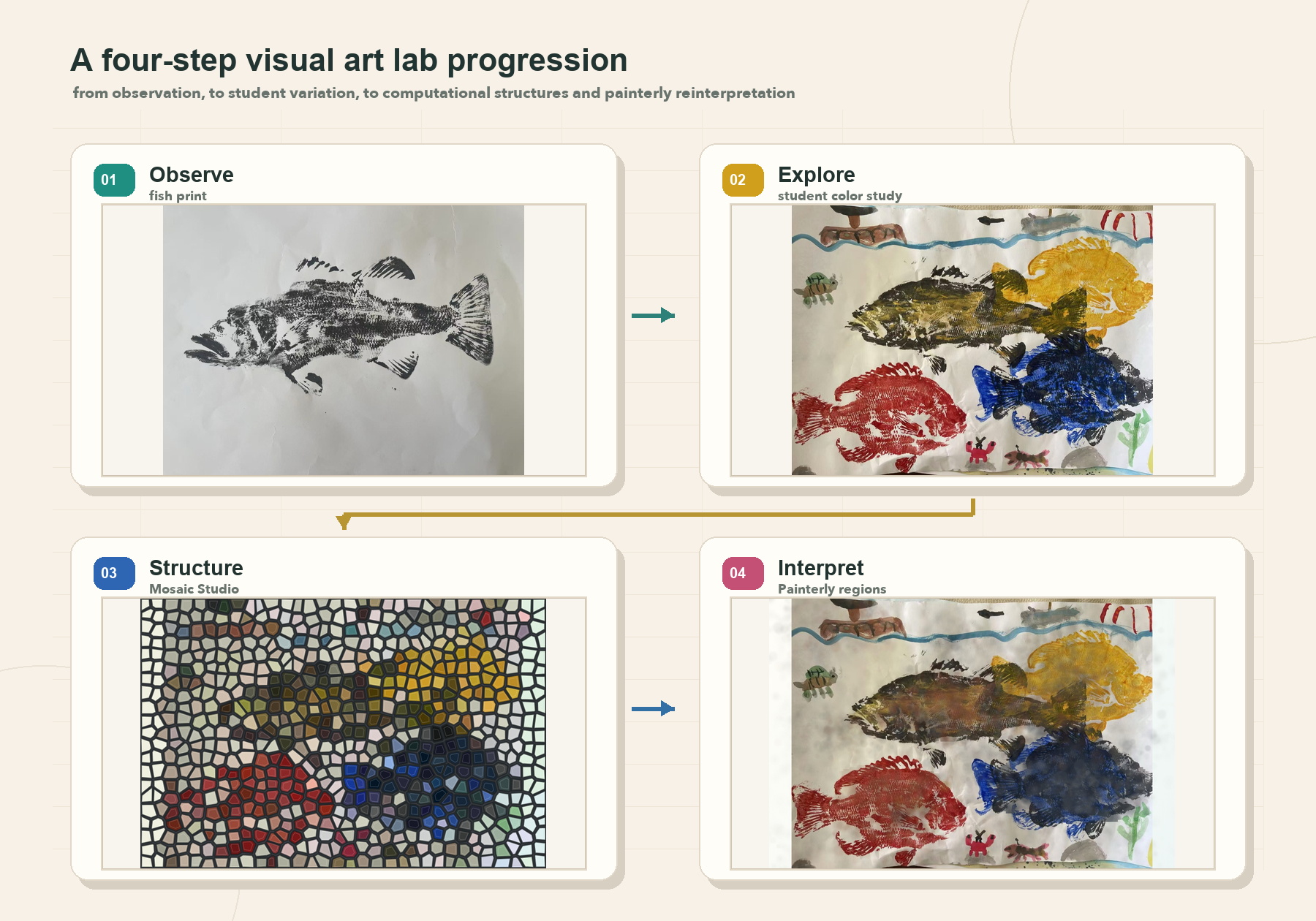
Computer vision as perception
The most interesting move is handing the child control not over the output, but over the machine's perception. When a child decides what an algorithm sees — where the edges are, which colors count, what a "region" means — they are directing the eye, not just the hand.
A child feeds in a photo and turns it into line art by choosing how the machine finds edges. Or they let a sketch come alive, with the program recognizing the shape they drew. They're not accepting an output — they're tuning how the computer looks at the world, and the picture follows from that choice.
Why browser-only matters
All of this runs in a plain web browser, on an iPad or a laptop, with nothing to install and nothing sent to a server. That's not just convenient — it's pedagogical.
- Nothing is hidden in the cloud. The whole system is right there on the device, which means a curious child can open it, read it, and change it.
- No account, no upload, no data leaving the room. A child's photo stays on the child's device — the right default for kids.
- The material is inspectable. Because it's code the browser runs, "how did it do that?" always has an answer you can go and find.
Computational art runs on the Discovery Loop
Making art this way isn't a straight line from idea to output. It's a loop — you try something, look hard at what happened, and let what you notice change the next move.
- Observe
- Question
- Explore
- Build
- Reflect
- Share
Learning starts with attention, not answers. The child observes what the material does, asks why, explores a change, builds something with it, reflects on the result, shares it — and observes again.
The child's real role, all the way around that loop, is choice, judgement, and meaning: deciding what is worth making, judging whether the material is saying it, and caring how it turns out. The machine supplies behavior. The child supplies intent.
Shape what the machine sees
Open the Computational Art Studio with a kid and bring one photo. Turn it into line art, then change how the machine finds edges and watch the whole picture change. Ask: which version says what you meant? That question — not the render — is the art.
Open the Art Studio Read the handbook